How Many Watts Does a PC Power Supply Need? The Complete PSU Wattage Selection Guide
Case & Components
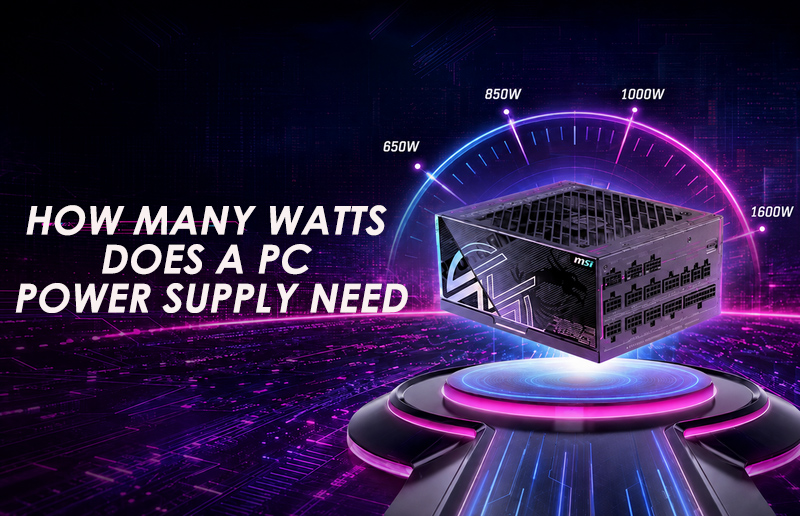
Choosing the right power supply is one of the most important decisions when building or upgrading a PC. A PSU does more than deliver electricity: it helps keep every component operating reliably under changing workloads.
Selecting too lower PSU wattage can lead to shutdowns, instability, or limited upgrade options. Buying far higher wattage than the system will ever use, however, may add unnecessary cost. The goal is to choose a quality PSU with sufficient capacity, appropriate connectors, strong efficiency, and reasonable headroom.
This guide explains how to calculate your PC’s power requirements and choose the right MSI power supply for different performance levels.
What Factors Determine How Many Watts Your PC Needs?
The wattage printed on a PSU represents the maximum continuous output it is designed to provide. It does not mean the PSU constantly draws that amount from the wall. A 1000W unit powering a 500W system will deliver only the power the system requires, plus conversion losses. When determining PSU wattage, consider:
- Graphics card power consumption
- Processor power consumption
- Motherboard, memory, storage, cooling, and connected devices
- CPU or GPU overclocking
- Short-duration power excursions
- Planned component upgrades
Component specifications usually provide a starting point, but real-world power consumption changes with workload and configuration. MSI’s guide to the five things to consider when choosing a power supply can help builders evaluate wattage alongside efficiency, connectors, protection, and build quality.
How Much Power Does a GPU Actually Consume?
For most gaming PCs, the graphics card is the largest power consumer. An entry-level GPU may require only a modest amount of power, while a flagship GPU can place substantially higher continuous and transient demands on the PSU.
The GPU model should therefore be the starting point of wattage selection. MSI’s recommended PSU table for NVIDIA GeForce RTX 30, 40, and 50 Series graphics cards provides recommendations based on both GPU and CPU tiers.
For example, the table recommends a 1000W PSU for a standard gaming system with an RTX 5090. An overclocked RTX 5090 configuration may require between 1250W and 1600W, depending on the processor and workload. Meanwhile, standard RTX 5070 and RTX 5060 systems can operate with much lower capacities.
Always check the recommendation for the complete CPU-and-GPU combination rather than relying on GPU power consumption alone.
How Much Power Does a CPU Add to the Total?
Processor power varies considerably between models. A mainstream processor used primarily for gaming generally requires less power than a high-core-count CPU handling rendering, simulation, content creation, or AI workloads.
Turbo frequencies and motherboard power settings may also allow a processor to consume more than its base power specification suggests. That is why total system power draw matters more than simply adding the advertised CPU and GPU specifications.
Memory, SSDs, fans, liquid-cooling pumps, USB devices, and expansion cards consume less power individually, but their combined requirements still need to be included.
How Do You Calculate the Exact Watts You Need?
A practical calculation follows four steps:
- Select the exact CPU and GPU.
- Add the motherboard, memory, storage, cooling, and other devices.
- Account for overclocking or sustained professional workloads.
- Add reasonable capacity for transient loads and future upgrades.
The easiest approach is to enter the components into the MSI Power Supply Calculator. It estimates the system’s requirements and helps identify a suitable PSU capacity without requiring every component to be calculated manually.
The result should be treated as a system-level recommendation rather than a prediction of constant electricity use. Actual consumption will move up and down depending on whether the PC is idle, gaming, rendering, or running an AI workload.
What Is the 20–30% Power Headroom Rule?
Headroom is additional PSU capacity above the system’s estimated sustained consumption. If a build is expected to draw around 600W under heavy use, choosing a quality 750W or 850W model may provide a more comfortable operating margin.
This extra capacity can help accommodate brief power spikes, demanding workloads, added storage, faster processors, and later GPU upgrades. It may also allow the PSU to operate without remaining close to maximum output for extended periods.
However, 20–30% is a useful guideline—not an absolute requirement. GPU-manufacturer recommendations, CPU behavior, connector requirements, overclocking, and the PSU’s design should all be considered. Review MSI’s PC compatibility guide before finalizing the complete build.
What PSU Wattage Do You Need for Each Type of Build?
The following ranges provide a practical starting point. Final requirements depend on the exact components.
Build type
Typical PSU range
Recommended MSI PSU
Entry-level and mainstream gaming
650W–750W
MAG A750GLS PCIE5
Mid-to-high-end gaming
850W–1000W
MAG A1000PLS PCIE5
Enthusiast and workstation
1000W and above
MPG Ai1600TS PCIE5
Entry-Level and Mainstream Gaming: 650W–750W
A 650W to 750W power supply is a practical starting point for many mainstream gaming systems. This range can accommodate popular graphics cards while providing useful headroom for higher CPU boost clocks, additional storage, cooling devices, and future component upgrades.
The MAG A750GLS PCIE5 is a strong match for this category. It supports ATX 3.1 and PCIe 5.1 and features a native 12V-2x6 connector capable of delivering up to 450W to compatible graphics cards. It is also designed to handle up to 220% total power excursion and 300% GPU power excursion, helping the system respond to rapidly changing gaming loads.
Its 80 PLUS Gold certification supports efficient power conversion, while the dual-color 12V-2x6 cable makes it easier to confirm that the GPU power connector has been inserted correctly. With fully modular embossed cables and multiple industrial-level protection mechanisms, the MAG A750GLS PCIE5 combines reliable performance with a builder-friendly installation experience.
Mid-to-High-End Gaming: 850W–1000W
High-performance gaming PCs may combine a powerful graphics card with a premium processor, high-speed memory, multiple SSDs, liquid cooling, and numerous fans. For these systems, a 1000W PSU can provide valuable operating and upgrade headroom without moving into extreme-workstation capacity.
The MAG A1000PLS PCIE5 is designed for demanding gaming and creator builds. It supports ATX 3.1 and PCIe 5.1 and includes a native 12V-2x6 connector capable of delivering up to 600W to a compatible graphics card. Its 80 PLUS Platinum certification helps reduce energy lost as heat during power conversion.
GPU Safeguard monitors the current passing through the 12V-2x6 connector and provides an immediate warning if abnormal behavior is detected. Fan Safeguard can also detect a stopped PSU fan and alert the user before overheating becomes a concern. Together with its dual-color connector, modular embossed cables, and comprehensive electrical protection mechanisms, these features make the MAG A1000PLS PCIE5 a compelling choice for high-end gaming PCs.
Enthusiast and Workstation Builds: 1000W and Above
Flagship gaming systems, overclocked RTX 5090 builds, AI PCs, and professional workstations may require significantly more power than mainstream configurations. Systems combining a flagship GPU with a high-core-count processor can also benefit from additional capacity for prolonged workloads, transient power demands, and future expansion.
The MPG Ai1600TS PCIE5 is built for these uncompromising configurations. This 1600W PSU supports ATX 3.1 and PCIe 5.1 and provides two native 12V-2x6 connectors. It can handle up to 240% total power excursion and 300% GPU power excursion, helping maintain stable delivery during sudden changes in system demand.
Its full-digital design enables rapid power adjustments, while SiC MOSFETs help reduce waste heat. The MPG Ai1600TS PCIE5 is also 80 PLUS Titanium certified, offering efficiency of up to 94%.
For additional protection, GPU Safeguard+ monitors the current of both 12V-2x6 connectors and can provide real-time warnings. Users can also monitor output wattage, efficiency, electrical data, and cooling behavior through MSI Center. These capabilities make the MPG Ai1600TS PCIE5 an excellent foundation for flagship gaming PCs, advanced AI systems, and expandable professional workstations.
Does an 80 PLUS Rating Affect Wattage Selection?
An 80 PLUS rating describes conversion efficiency—not the amount of power a PSU can deliver. A 1000 wattage PSU can provide up to its rated output whether it carries a Gold, Platinum, or Titanium efficiency certification.
Higher efficiency means less input energy is lost as heat during power conversion. This can contribute to lower energy waste, reduced thermal output, and potentially quieter operation, but efficiency should be evaluated together with electrical design, component quality, protection mechanisms, warranty, and compatibility.
Modern standards also matter. ATX 3.1 power supplies are designed to respond to rapidly changing loads from current-generation hardware. A native 12V-2x6 connector provides a direct connection for compatible graphics cards without relying on multi-cable adapters.
Ready to Choose the Right MSI Power Supply?
Start with the GPU and CPU, calculate the complete system requirement, and add appropriate headroom for peak loads and upgrades. Then verify efficiency, connectors, protection features, dimensions, and cable support.
Use the MSI Power Supply Calculator to estimate your required wattage, then select the MSI PSU family that matches your build: MAG for reliable mainstream gaming, MPG for high-performance systems, or MEG for flagship gaming and professional workloads.
The right PSU is not simply the model with the largest number. It is the one that delivers the capacity, stability, efficiency, and connectivity your PC needs—today and through its next upgrade.