The Best 4K QD-OLED Monitors in 2026: Top Picks & Buying Guide
Monitors
Quick Verdict: The Best 4K QD-OLED Monitors at a Glance
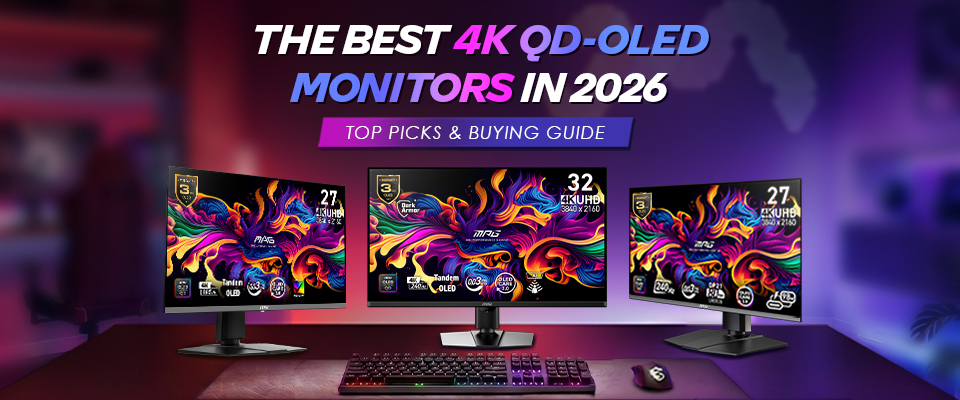
TL;DR: Start with your desk depth: choose a 32" monitor if your desk depth is over 60 cm for maximum immersion, or 27" for depths under 60 cm to keep details within focus. From there, pick your model based on your refresh rate performance requirements and setup needs:
Model
Size
Refresh Rate
Key Features
Best For
32” (31.5”viewable)
240Hz
DarkArmor, DP 2.1a (UHBR20), HDMI 2.1, USB C ( 98W PD), KVM
Premium 3A Immersion & Multi-Device KVM
27" (26.5” viewable)
165Hz
DP 1.4a, HDMI 2.1, USB-C (15W PD)
Pure 3A Story-Driven Gamers
27" (26.5” viewable)
240Hz
DP 2.1a (UHBR20), HDMI 2.1, USB-C (98W PD), KVM
Ultra-Pixel Density Competitive Esports & Multi-Device KVM
Note: All models feature MSI's 4th-Gen QD-OLED panel and Penta Tandem™ Technology.
The 2026 Standard: QD-OLED Meets Penta Tandem Technology
To deliver the pinnacle of premium gaming visuals, MSI integrates cutting-edge QD-OLED technology to redefine contrast and color volume. This screen architecture utilizes a blue self-emitting organic layer combined with quantum dot conversion to generate pure red and green sub-pixels, ensuring a superb 99% DCI-P3 color gamut reproduction even in high-dynamic-range (HDR) highlights.
A cornerstone of this performance is the incorporation of Samsung's Penta Tandem™ Technology, featuring a five-layer tandem OLED emitter structure. This technology boosts luminous efficiency by 1.3 times and extends panel lifespan by 2 times. Penta Tandem™ Technology also ensures that MSI QD-OLED monitors deliver deep blacks and vivid colors alongside superior durability.
The 27-inch vs. 32-inch 4K Dilemma: Which Pixel Density is Right for Your Setup?
The debate over the perfect display size for 4K resolution boils down to Pixel Density (Pixels Per Inch - PPI) and viewing distance:
26.5-inch 4K (166 PPI): This form factor provides an incredibly dense display, packing in 166 pixels per linear inch of screen. Text, geometric edges, and macro-textures in games will appear exceptionally clear and sharp on modern QD-OLED displays at 166 PPI. It is the ideal specification if your desk depth is shallow (under 60 cm) and you demand maximum visual precision for optimal visual ergonomics without needing to adjust your posture.
31.5-inch 4K (140 PPI): This screen size and pixel density combination is widely regarded as the gold standard for 4K gaming in 2026. At a viewing distance of 60 to 80 cm, individual pixels fall below the limits of human optical resolution, eliminating undesirable visible pixel-related screen effects like jaggies or stair-stepping (aliasing) on text, along high-contrast edges, and line art. The extra screen real estate provided by a 32-inch monitor provides a significantly broader field of view, drastically maximizing spatial immersion in open-world titles.
The 240Hz Dilemma: Is a 4K 240Hz Monitor Worth It If Your GPU Can't Hit 240 FPS?
A 4K 240Hz monitor can be worth investing in today, even if your current PC can't push it to the limit. Beyond the immediate benefit of pristine 4K clarity, a high-refresh display fundamentally upgrades your daily experience. Here is why making the leap is worth it right now:
- Future-Proofing: Monitors are typically kept much longer than graphics cards. Buying a top-tier display now ensures your setup is ready for next-generation GPUs that easily push higher framerates at the 4K resolution.
- 4K Clarity & Productivity: The crispness of 4K is undeniably premium. For text-heavy tasks, strategy games, or cinematic single-player titles, running at a lower refresh rate like 60Hz or 120Hz still yields a highly enjoyable, super-sharp visual experience.
- Lower Input Latency: A 240Hz monitor updates its hardware state every 4.16 milliseconds. Even if your game runs at 60 or 120FPS, the end-to-end input lag is significantly lower than on native 60Hz or 120Hz screens, giving you a snappier response to inputs and controls.
- Frame Generation: With modern technologies like DLSS and FSR, you can use frame generation to artificially boost your in-game framerate, allowing even mid-range setups to fully leverage a 240Hz panel.
Deep Dive: The Top 3 MSI 4K QD-OLED Gaming Monitors
1. Best Overall 32" Flagship: MSI MPG 322UR QD-OLED X24 (4K / 240Hz)
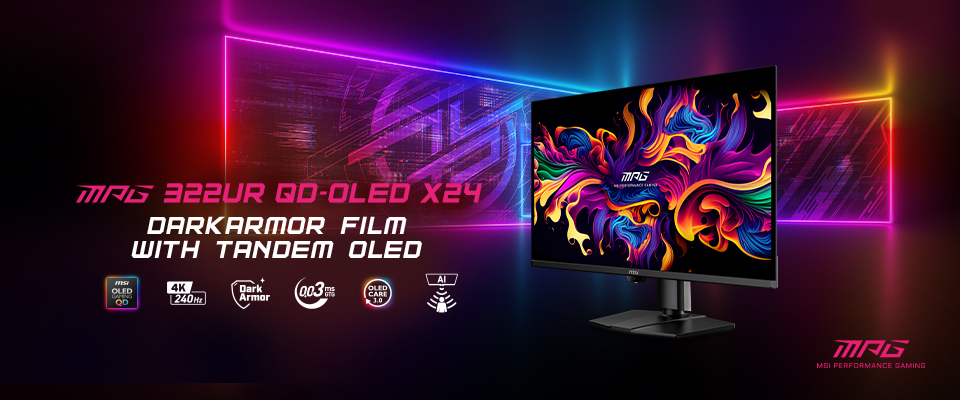
This monitor delivers the ultimate, uncompromised 32-inch visual masterclass with its blazing 240Hz refresh rate and a near-instantaneous 0.03ms GtG response time.
Key Feature:
- DarkArmor Film: Solves the notorious ambient-light "purple tinting" of earlier QD-OLEDs, boosting black-level depth by up to 40% to preserve true infinite contrast. Additionally, it upgrades the screen surface hardness from 2H to 3H, offering 2.5x greater scratch resistance against daily cleaning and wear.
- Ultra-High Bandwidth & Connectivity: Equipped with DisplayPort 2.1a (UHBR20) for uncompressed high-refresh-rate gaming, alongside a 98W USB-C Power Delivery port and integrated KVM to seamlessly switch between devices using a single peripherals set.
- OLED Protection: Utilizes the advanced MSI OLED Care 3.0, featuring a hardware-level AI Care Sensor that automatically dims or sleeps the screen when you leave your desk and restores it upon your return, seamlessly eliminating burn-in risks without disrupting gameplay sessions.
2. Best 3A Gaming & Performance Value: MSI MAG 272UP QD-OLED E16 (4K / 165Hz)
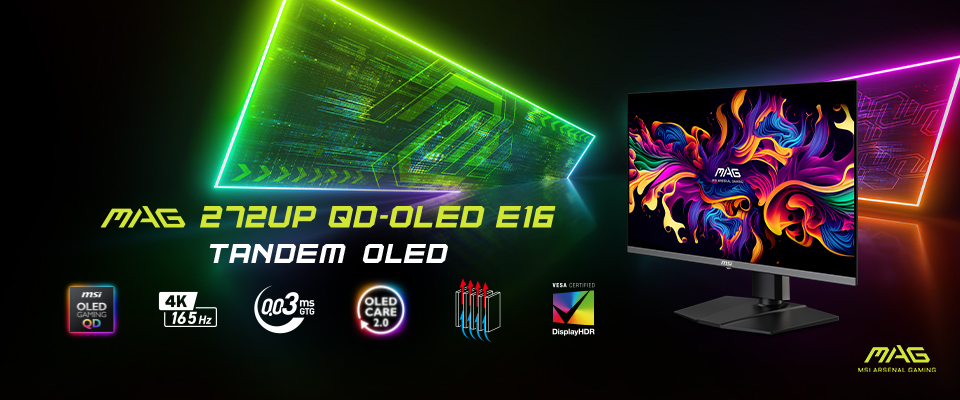
Designed specifically for narrative-driven, visually heavy 3A titles where modern GPUs naturally push frames between 90 to 140FPS with ray tracing enabled.
Key Feature:
Features the same premium 4K QD-OLED panel, infinite contrast, and pristine color volume as the flagship MSI MPG 322UR QD-OLED X24, but caps the refresh rate at a highly optimized 165Hz sweet spot in a compact 27-inch form factor. By focusing strictly on pure visual performance over extra productivity features, this monitor offers exceptional value while still providing essential gaming connectivity, including HDMI 2.1, DisplayPort 1.4a, and a 15W USB-C port.
3. Best 27" Next-Gen Future-Proofing: MSI MPG 272URX QD-OLED (4K / 240Hz)
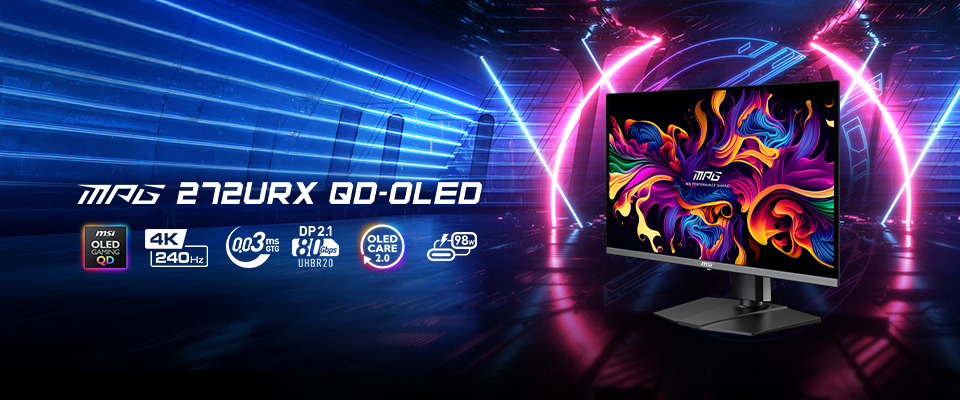
Delivering the pinnacle of pixel density and speed, the MPG 272URX’s 3840 x 2160 pixel matrix in a compact 26.5-inch diagonal provides for a stunning 166 PPI sharpness.
Key Feature:
Outfitted with DisplayPort 2.1a (UHBR20), this display delivers uncompressed 4K 240Hz gaming (80Gbps) without relying on DSC. It also doubles as a productivity hub with a 98W USB-C PD port and built-in KVM, letting you power your laptop and control two systems with a single keyboard and mouse.
Why MSI Dominates the 2026 OLED Market: Anti-Burn-In Tech
MSI delivers a premium panel longevity experience through a comprehensive anti-burn-in system that leverages proactive artificial intelligence, backed by an industry-leading hardware guarantee:
- MSI OLED Care 3.0: Powered by an integrated AI Care Sensor, this technology is designed to proactively prevent static burn-in. The sensor automatically detects user absence to dim the screen or enter energy-saving sleep modes, instantly restoring full brightness upon their return. Running seamlessly in the background, MSI OLED Care 3.0 utilizes intelligent algorithmic tools—including Taskbar Detection, Multi-Logo Detection, and Boundary Luminance Tuning—to optimize localized brightness without interrupting your viewing experience.
- 3-Year Burn-In Warranty: Reflecting MSI’s supreme manufacturing confidence and long-term commitment to panel reliability, all our QD-OLED models are backed by a comprehensive 3-Year Burn-In Warranty that fully covers screen burn-in issues.
Summary: Which MSI 4K QD-OLED Should You Choose?
Choosing the perfect 4K display comes down to two key factors: your desk space and your performance needs. Start with your desk depth: if it’s under 60 cm, a 27-inch model is the ideal fit; if it's between 60 and 80 cm, a 32-inch screen delivers the perfect sweet spot for immersion.
Once you’ve locked in your size, find your match based on how you play:
Deploy the MPG 322UR QD-OLED X24 if: You have a spacious desk, command an enthusiast-grade GPU setup, and want a massive 32-inch immersive viewport for a mix of 3A and competitive titles. This flagship choice also offers premium productivity extras like KVM integration and 98W USB-C Power Delivery.
Deploy the MAG 272UP QD-OLED E16 if: You prefer a 27-inch screen but are a dedicated 3A gaming enthusiast focused entirely on cinematic fidelity and recognize the frame limits of your graphics hardware under maximum ray-tracing workloads where 165Hz is the perfect practical match. This model maximizes value by omitting extra productivity features to focus entirely on pristine picture quality.
Deploy the MPG 272URX QD-OLED if: Your workspace demands a smaller footprint, you prioritize hyper-sharp text and pixel density, and you require uncompressed DisplayPort 2.1a (UHBR20) pipelines alongside 98W USB-C and KVM to match cutting-edge graphics and productivity standards.
If you want to dive deeper, feel free to check out our comprehensive Monitor Buying Guide.